
Feature tour
Directory
Everyone you worship with, always up to date.
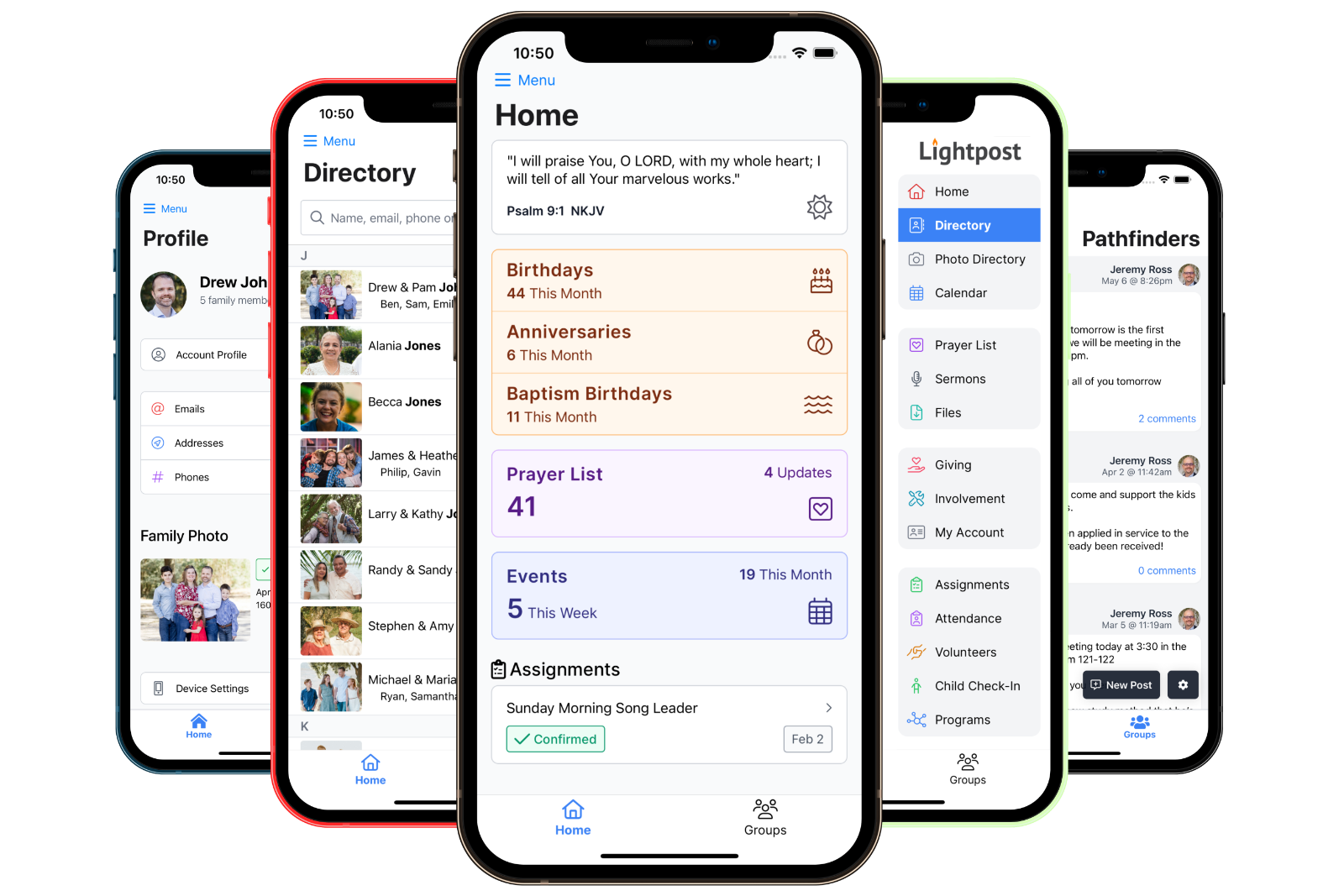
The Lightpost directory lists every member family with photos, phones, emails and addresses, kept current by the members themselves. Browse it on the web or in the free mobile app, tap to call or get directions, and print a paper or photo directory whenever you need one.
- Families & people
- Search
- Tap to call, text or email
- Directions
- Photo directory
- Celebrations
- Member self-service
- Printable PDFs
- Mobile app




01Members only
Members only
Roles decide who is in the directory. When a family departs or a member passes away, they leave the directory automatically.
02By family or person
By family or person
List households with their spouse and children together, or switch the whole account to a person-by-person list.
03Hidden stays hidden
Hidden stays hidden
Any phone, email or address can be marked hidden. It stays out of the directory, the app and every printout.
Browse & search
Find anyone in a few letters.
Families are listed by last name with the spouse and children right on the card, so the person you are looking for is never more than a search away.
- Search by name
- Type a first name, a last name or both, in either order. A match on any family member brings up the family.
- Advanced search
- Turn it on to search by school, employer, job title and job keywords. Results show which field matched.
- Family cards
- Each card shows the family name, both parents, the children in birth order and the family photo.
- People mode
- Prefer a flat list? Switch the account to list every adult on their own.
- Reference directories
- Give a group its own directory tab, like your elders, deacons or staff, even if it includes people who are not members.
- Photo directory
- A grid of family photos for the times a face is easier to find than a name.





Family pages
Everything about a family, one tap away.
Open a family and you get the whole household: who is in it, how to reach them, where they live and the groups they belong to.
- Tap to call, text or email
- Phone numbers dial, emails open your mail app. No copying and pasting on a Sunday morning.
- Directions
- Every address comes with a map thumbnail and a Directions button, and mailing-only addresses are labeled.
- Dates that matter
- Member since, married on, birthdays and baptism birthdays, each one shown only if your church chooses to.
- Groups and roles
- Show a family's or a person's groups to the people you allow, group by group.
- Save to contacts
- Tap a person for their photo and details, then download a contact card straight into your phone.
- Family and profile photos
- A full-size family photo on the family page, and profile photos on each person.
Privacy
Share what helps, keep the rest private.
A church directory holds personal information, so the controls sit with the people it describes and with your church, not with us.
- Members only
- Only signed-in members see the directory, and only people with a member role are listed in it.
- Hide any number or address
- Each phone, email and address has a "hidden from the directory" switch. Hidden details stay out of the app, the website and every printout.
- Children stay with family
- Children appear inside their family, never in the person-by-person list, unless you choose to include them.
- Church-wide choices
- Decide whether birthdays, baptism dates, wedding anniversaries, member-since years and baptism status show at all.
- Groups by permission
- Groups show on directory entries only for people with the permission, and only the groups you flag for it.
- Handled with care
- When a member passes away or a family departs, their details come out of the directory without anyone having to remember.
Photos
Put a face to every name.
Families submit their own photo from the web or the app, and your office approves it before it appears. Profile photos sit on each person, and the photo directory shows every family at a glance.
- Family photo uploads wait for approval, with a reminder on the admin dashboard
- Crop square profile photos or 4:3 family photos, rotate, hide or replace them
- Staff can upload a family photo for any family from the app on the spot
Celebrations
Never miss a birthday again.
Members browse birthdays, baptism birthdays and wedding anniversaries month by month. Your office runs the same lists as reports, by month, with the contact details you choose.
- Each kind of celebration can be turned on or off for members
- Birthday, anniversary, baptism birthday and widowed reports for the office
- Download any list as a spreadsheet, a PDF or mailing labels


Member self-service
Members keep it current, so you don't have to.
New phone number? Moved house? Members update their own details in My Account on the web or in the app, and the directory changes the moment they save.
- Their own profile
- Name and preferred name, birthday, marital status and wedding date, school and grade, employer and job title.
- Phones, emails, addresses
- Add, change or remove any of them, mark one as primary or mailing, and hide any that should stay private.
- The whole family
- Let the head of household or spouse manage the family's details too, with a single setting.
- Photos
- Members set their own profile photo, and submit a family photo for the office to approve.
Prefer the office to stay in charge? Member editing is a setting you can leave off.
Print & export
For the members who still like paper.
The directory is always current online, so a printed copy is only ever a click away, and it is accurate the day you print it.
- Four ready-made PDFs
- A paper directory, a photo directory, a youth directory and mailing labels, each formatted for you.
- Print exactly who you want
- Filter by groups, roles, grades, family role, marital status, gender, adults or children, and date ranges. Mark baptized members with an asterisk.
- Spreadsheet exports
- Export the people list to Excel with the exact columns you pick.
- New member highlights
- Feature a new family on the home screen of the web and mobile apps, with a welcome message and your own start and end dates.
Moving from another system? Our team imports your existing directory for you. See pricing.
Mobile app
The whole directory, in the free mobile app.
The app loads your directory in one go, so finding a family is instant. Everything members can do on the web, they can do from their phone.
- Browse by family or person, with search
- Call, text, email or get directions in one tap
- Reference directories and the photo directory
- Family pages with photos and groups
- Update their own phones, emails and addresses
- Submit a family photo for approval


Only people signed in to your church's Lightpost account. Only people with a member role are listed, so visitors and former members never appear unless you give them a role that includes them.
Yes. Every phone, email and address has its own hidden switch. A hidden number stays out of the web directory, the mobile app and every printed directory or report.
Profile and contact changes save immediately, so the directory is always current. Family photos are the exception: they wait for your office to approve them before they appear.
Any time. Choose a paper, photo or youth directory or mailing labels, filter who to include, and download a PDF that reflects the directory as it is that day.
Make a group a reference directory. It gets its own tab beside the member directory and can include anyone in the group, member or not.
No. The directory works the same in the member web app, and a printed copy is always available for those who prefer it.