
Feature tour
Groups
Every ministry, class, and project, in one place.
Lightpost Groups gives everyone their own space to share posts, run polls, plan events, divide up the work, and reach every member by email, text or voice. On the web, and in the free mobile app.
- Posts & polls
- Email, text & voice
- Calendars
- Task boards
- Files, photos & videos
- Video calls
- Live ETAs
- Mobile app
01Private or joinable
Private or joinable
Private groups are curated by admins. Joinable groups let members join and leave on their own, and can be kept adult-only.
02Feed or forum
Feed or forum
Choose a familiar post feed, or forum mode where every topic has a subject and replies stay in order. Or turn posting off entirely.
03Clear roles
Clear roles
Group Admins, Post Admins, Authorized Senders and per-member calendar rights. Everyone knows who can do what.
Posts & conversation
A feed your members will actually read.
Share updates, photos, videos and documents with the people who need them, and keep the conversation in one place instead of a dozen text threads.
- Posts, comments and reactions
- Like, love, care, pray or laugh. Pin the important posts to the top.
- Polls
- Single or multiple choice, let people change their vote, show who voted, and set a closing time.
- Post review
- Hold posts for approval. Reviewers get a queue, and authors hear back when a post is approved or declined.
- Scheduled posts
- Write now, publish later. Reviewers can publish early or reschedule.
- Forum mode
- Topics with subjects and ordered replies, sorted by recently active or date posted.
- Real-time and unread
- New posts and comments appear instantly. Filter to unread, or mark everything read.
Messaging
Reach everyone, however they listen.
Email, text, MMS and voice are turned on per group. Members choose which they want, and you send once.
- Email, text, MMS and voice
- Enable the channels that make sense for each group and send from the web or the app.
- A group email address
- Members and leaders email the group from any mail app. Set a reply-to, and choose who may send.
- Authorized senders
- Let specific members send, or open it up to the whole group. Admins keep the message history.
- Voice that sounds right
- Type a message for text-to-speech, or let us call your phone and record you. Review before it goes out, with answering-machine detection.
- Schedule and cancel
- Queue messages for later, and cancel a scheduled message before it sends.
- Replies and opt-outs
- Text replies are emailed to the sender. STOP and START are handled automatically, and every email carries unsubscribe links.
Email is available with every plan. Texts and voice calls are usage priced. See pricing.
Calendar & events
Group calendars, members only.
Every group can have its own calendar that only its members see. Let members create and edit events, or keep it to leaders, with per-person overrides either way.
- Collect responses, show who is coming, and allow free-form replies
- Require a name, email or phone when it matters
- Pin the big events, and notify members the moment an event is created
Task boards
Divide the work, finish the work.
Turn on task boards for any group. Boards hold lists, lists hold tasks, and everything drags where it needs to go.
- Start and due dates, labels, assignees and watchers
- Checklists, comments and a full activity log on every task
- Archive and restore, board managers, and change notifications in real time
Files, photos & videos
Every photo, video and document shared in a group lands on its Files page, searchable by name. Photos up to 20 MB, videos up to 600 MB, documents up to 100 MB.
iPhone photos are converted automatically, and views and downloads are counted.
Video calls
Turn on video calls for a group and meet without leaving Lightpost. Share a guest link, with an optional password, so visitors and family can join too.
Guests wait in a waiting room until a member starts the call. Members can remove a guest, and a call closes itself once only guests remain.
Usage priced per participant minute. See pricing.
Live ETAs
On the way to the hospital, the retreat or a member's home? Share a live arrival time with the group, pause and resume as you go, add a note, and tap "running late" or "arrived" when it happens.
ETAs can be shared with a public link and expire on their own.
Roles & controls
The right people, with the right permissions.
Groups stay tidy because the controls are simple. Set them once on the web or in the app, and settings save as you change them.
- Group Admin, Post Admin, Authorized Sender
- Manage roles from one screen with search and filters, plus per-member calendar rights.
- Add people in bulk
- Copy everyone from a role or another group, or filter by family role, baptized, background check, can teach, can lead, adults, children, men or women.
- Group lock
- Lock a private group so no one can be added. Unlocking needs a member's approval by email, expires in three days, and every step is logged.
- Visibility
- Decide whether members can see the roster, and whether the group shows on people and families in the directory.
- Attendance rosters
- Any group can be a roster when taking attendance, on the web or in the app.
- Notifications, per person
- Members choose alerts for new posts, comments on their posts or every comment, reviews, events and ETAs. Favorite groups float to the top.
Mobile app
All of it, in the free mobile app.
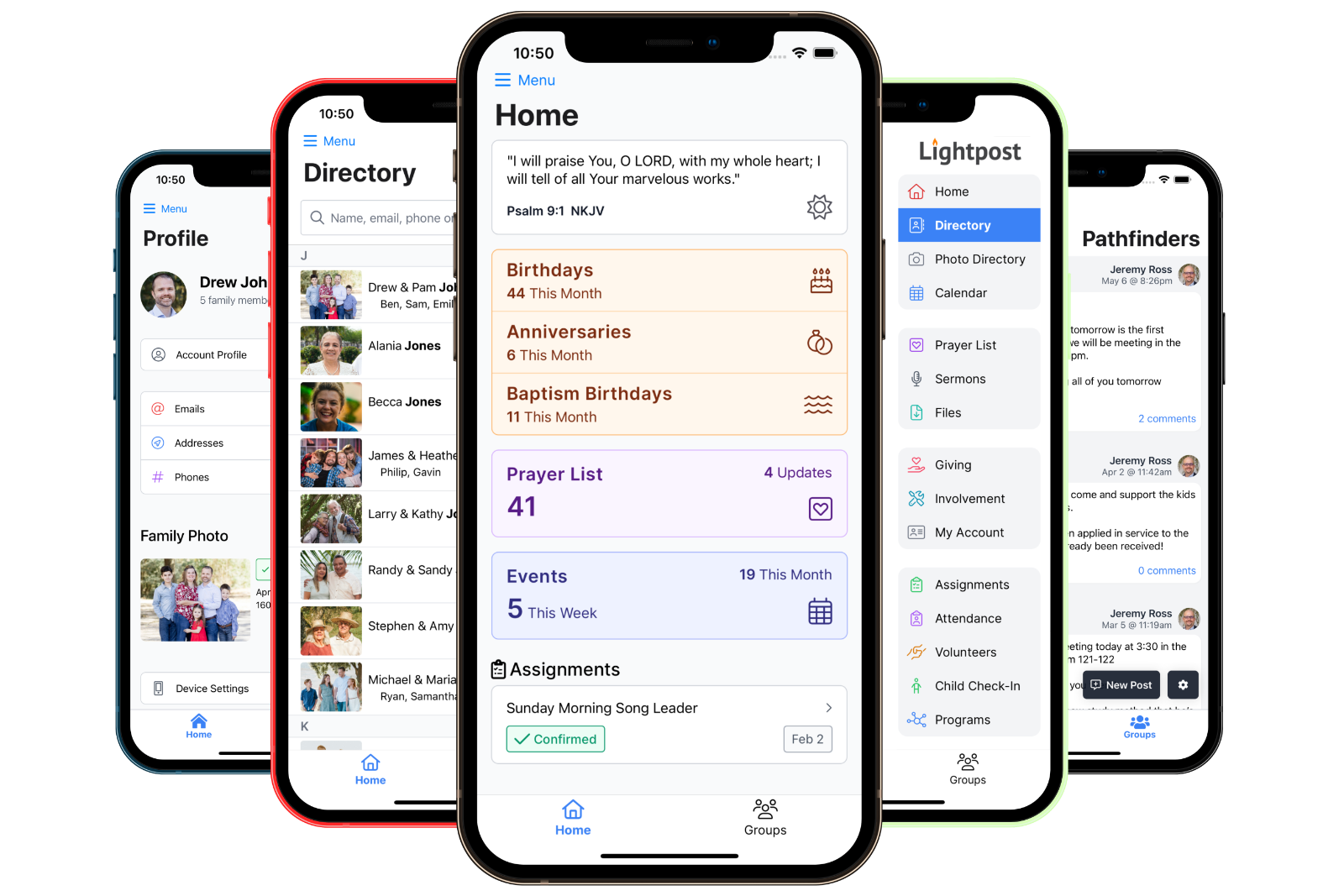
Groups aren't a web-only feature. Members and leaders do everything from their phones, with push notifications when something happens.
- Read, post, comment, react and vote
- Approve, decline or publish scheduled posts
- Send texts, MMS and voice messages
- Create events and respond to them
- Run task boards end to end
- Join video calls and admit guests
- Share and follow live ETAs
- Manage members, roles and settings

Yes, when you give their role the permission. The person who creates a group becomes its Group Admin and Post Admin automatically, and a short disclaimer reminds them of your expectations.
Turn on post review for the group. New posts wait in a review queue where reviewers approve, decline, publish a scheduled post early or reschedule it. Authors are notified either way.
Email is available with every plan. Text messages, MMS and voice calls are usage priced, and video calls are priced per participant minute. The pricing page has the current rates.
Yes. Share the group's guest link, optionally with a password. Guests wait in a waiting room until a member starts the call, and you can reset the link at any time.
Lock it. A locked private group accepts no new members until a current member approves an unlock request by email. Requests expire after three days, and every step is logged.
No. Everything in groups also works in the member web app, and members can receive group email, texts and voice calls without opening either one.
Groups are included
Give every ministry a home.
Groups come with every Lightpost plan, alongside the directory, prayer lists, calendars and 30 other features.