
Feature tour
Prayer Lists
Bear one another's burdens, together.
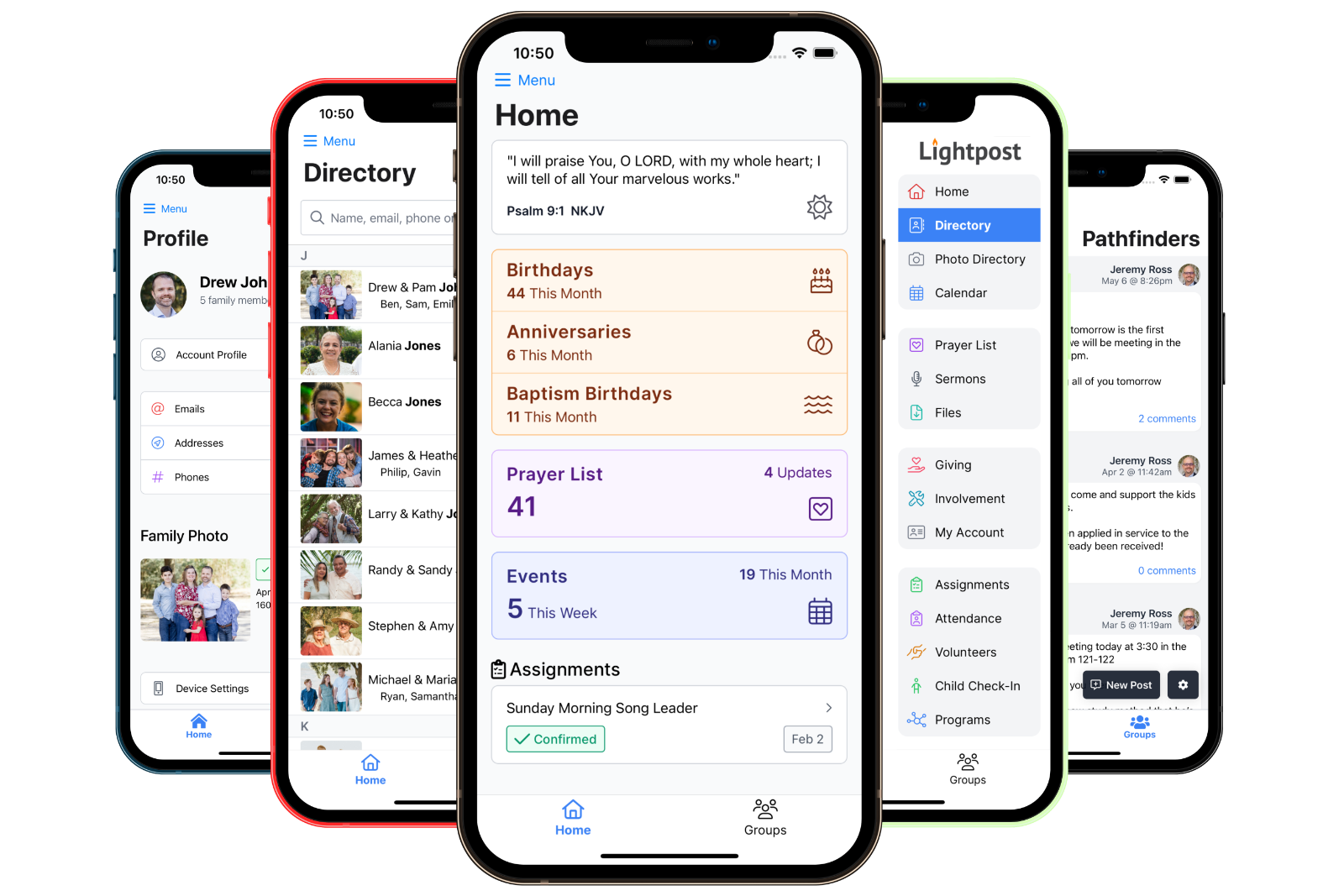
Keep your whole congregation praying for the same needs. Requests come from your office or from members, updates keep everyone current, and a tap on Praying lets a family know they are being lifted up. On the web and in the free mobile app.
- Prayer requests
- Updates
- Member submissions
- Review queue
- Prayer Editors
- Praying
- Folders
- Push notifications
- PDF & Excel
- Mobile app
01Someone asks
Someone asks
Your office adds a request, or a member submits one from the web or the app when you allow it.
02You review it
You review it
Member requests wait for staff to approve them, so nothing reaches the whole church by surprise.
03Everyone follows
Everyone follows
Updates keep the request current, move it to the top of the list, and reach members who want to know.
Requests
Every request, in one place.
No more sticky notes on the office door or requests lost in a text thread. Requests land on one list your whole church can see and pray through.
- Staff add requests
- Give each request a title and details, put it in a folder, and tag the members it is for.
- Members can ask too
- Turn on member requests and anyone can submit one from the member web app or the mobile app.
- A review queue
- Member requests wait in a queue with who asked and when. Approve or decline them on the web or from your phone.
- Or publish right away
- Trust your congregation? Turn on auto-approve and member requests go straight onto the list.
- Expiration dates
- Set a date and a request leaves the member list on its own. It stays in your records for staff.
- Search
- Find any request by its title or details, for staff and members alike.


Updates
Pray with the latest news, not last week's.
Each request carries its own timeline of updates, newest first, so members always know how to pray today.
- A timeline on every request
- Updates stack under the original request with the date and who posted them.
- Prayer Editors
- Name a family member, a deacon or a friend as a Prayer Editor and they can post updates from the web or the app.
- Fresh news rises
- A new update moves its request to the top of the list, so it never gets buried.
- Updates notify
- Members who follow prayer updates get a push notification the moment one is posted.
- Tag the people involved
- Tagged members show with their photo and a link to their family in the directory, so sending a card is easy.
- Quiet corrections
- Fix a typo in the original request without sending everyone another notification.
Praying
Let them know they're being lifted up.
Turn on the Praying button and members can say, with one tap, that they are praying for a request. It is a small thing that means a great deal to a family going through a hard week.
- Show how many people are praying, or keep the count private
- No one sees who tapped Praying, only how many
- Each member sees which requests they are already praying for
Notifications
The prayer chain, without the phone tree.
Members choose to be notified about new requests, new updates, or both. A push arrives on their phone and lands in their in-app inbox.
- Each member picks which prayer notifications they want
- Only requests members can see ever send a notification
- Hidden, expired and unapproved requests stay silent
Folders & privacy
Organized, and handled with care.
Prayer requests can be tender. Folders keep the list easy to pray through, and simple controls decide what the whole church sees.
- Folders
- Group requests into folders like Health, Travel or Military, and drag them into the order you want.
- Hidden requests
- Mark a request hidden and only staff can see it. Hidden requests never send a notification.
- Staff-only folders
- Hide a whole folder to keep its requests among your elders and staff.
- Who asked stays with staff
- Members see the request and its updates, never the name of the member who submitted it.
- Members only
- The prayer list is for signed-in members of your church and never appears on a public page.
- Role permissions
- Decide who can view the admin list, who can manage requests, and who can delete them.
Print & export
For the class that prays from paper.
Download the current prayer list whenever you need it, already up to date with every request and its latest update.
- A ready-to-print PDF
- A clean, letter-size prayer list with your church name at the top.
- An Excel spreadsheet
- Every request with its folder, dates, details and latest update, ready to sort or share.
- At a glance
- The admin dashboard and the member home screen show how many requests and updates came in recently.
Mobile app
The prayer list, in every pocket.
Members pray through the list wherever they are, and your staff can keep it current without opening a laptop.
- Read every request and its updates
- Submit a request in a few taps
- Tap Praying for any request
- Get push notifications for new requests and updates
- Post updates as a Prayer Editor
- Approve or decline member requests


Yes, when you turn it on. Members submit from the member web app or the mobile app. Requests wait in a review queue for your staff to approve, or you can let them publish right away.
Only your staff. Members see each request and its updates, but not the name of the member who submitted it.
Staff with permission to manage prayers, plus anyone you name as a Prayer Editor on a request, like a spouse, a deacon or a close friend of the family.
Give a request an expiration date and it leaves the member list on its own. It stays in your records, and staff can still look it up.
Mark a request hidden, or put it in a hidden folder, and only staff can see it. Hidden requests never send a notification.
Only if they want them. Each member chooses whether to be notified about new requests, new updates, or both.
With the Lightpost website add-on, your site can include a prayer request form that sends each request to the email address you choose.